Jan. 06, 2026
Today we published a practical, hands-on guide on our site showing how I programmed a replacement tire pressure monitoring sensor (TPMS) — a short, clear how-to that any reasonably handy car owner or technician can follow. In this newsy post I’ll walk you through what we did, why the steps matter, and the tools that made the job straightforward. The procedure below follows standard TPMS workflow: initialize the tool, detect the sensors, replace if needed, trigger and program the new units, then verify proper operation. The sequence and tips are adapted from an industry how-to reference we used while preparing the guide.
TPMS warnings can be annoying and, more importantly, dangerous if ignored. When a vehicle’s dashboard warns of a faulty sensor, the owner faces a choice: go to the dealer and pay labor and parts markups, or take a pragmatic DIY approach. We wanted to give our readers a concise, accurate procedure that reduces uncertainty and helps them safely replace and program sensors with commonly available TPMS tools. The process is surprisingly mechanical and predictable when approached step by step.
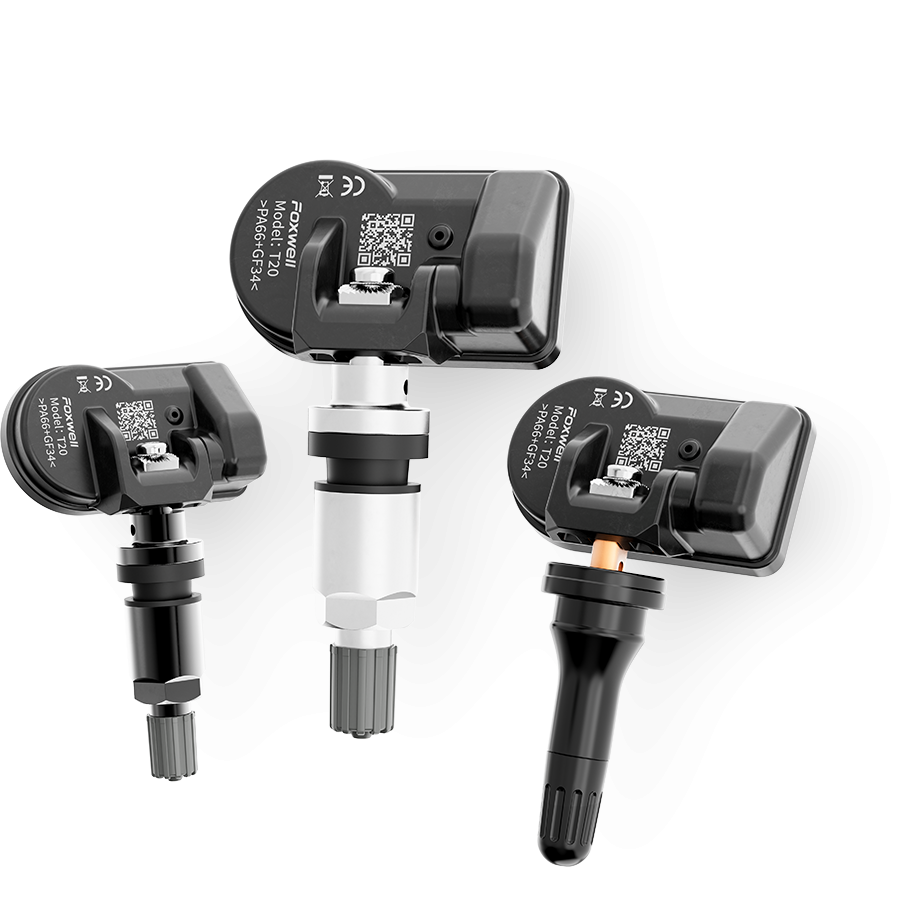
1. A TPMS programming/scanning tool that supports your vehicle make and model (many aftermarket units and Foxwell-class tools include an “auto-create” feature).
2. New OEM-compatible tire pressure sensors for the vehicle.
3. Tire inflator or an air compressor and basic tire-removal tools (tire machine or bead breaker if you are removing the tire from the rim).
4. Basic hand tools and safety gear (gloves, eye protection).
These are the practical items that got the job done for me; the specific TPMS tool determines exactly which menu choices you’ll see, so I recommend checking your tool’s quick manual before you begin.
I began by connecting the TPMS tool to the vehicle’s OBD-II port (typically under the steering column). Most modern TPMS tools walk you through selecting the vehicle make, model and year; higher-end units will auto-detect this information. Initialization prepares the scan tool to communicate with the car’s tire pressure system and ensures we program sensors with the correct vehicle profile. If your tool offers an automatic model selection, use it — it reduces the chance of a mismatch.
With the tool initialized, I placed the tool near the valve stem and used its sensor detection function. The tool reads each sensor's ID and confirms the existing sensors are broadcasting. If you’re checking a working car, this step helps diagnose which sensor is faulty; if you’re installing new sensors, it confirms the tool can communicate with them before any programming begins. When in doubt, scan each wheel and record the IDs shown — that makes later steps simpler.
Replacing a mounted sensor requires deflating the tire and separating the bead enough to access the sensor at the rim. I removed the old sensor, inspected the rim and valve hardware for corrosion or damage, and installed the replacement sensor according to the sensor manufacturer’s torque and sealing guidelines. If you don’t have a tire machine, many shops will swap just the sensor and reseat the bead for a modest fee — still usually cheaper than a dealer visit.
After physical installation, I returned to the vehicle with the TPMS tool and used its trigger function to wake each sensor. Triggering forces a sensor to transmit its ID and current pressure reading so the tool and the vehicle can "see" the new device. For some tools (and certain Foxwell models), placing the tool right next to the valve stem will trigger and read the sensor quickly; follow the on-screen prompts.
Programming varies by vehicle and tool. In my case I followed the tool’s on-screen procedure to either copy the old sensor ID to the new unit or write the new sensor ID into the vehicle’s TPMS control module. Advanced tools may offer an “auto create” mode that automates most of this. Carefully follow prompts and confirm that the tool reports success for each wheel. If the tool requires manual entry of IDs, keep your recorded sensor IDs handy.
Finally, I verified each sensor's communication with the vehicle by re-scanning via the tool and then taking a short drive. Some vehicles require a short drive to clear faults and fully register newly programmed sensors. I made sure the dash TPMS lamp stayed off and that the TPMS readings matched expected tire pressures. If any wheel didn’t report correctly, re-triggering and reprogramming that sensor solved the issue.
TPMS service is largely straightforward, but attention to detail matters. Use proper torque and sealing procedures when installing sensors; verify compatibility of replacement sensors with your vehicle; and follow your scan tool’s instructions closely. If you encounter persistent faults, the vehicle's TPMS module or wiring may need diagnosis by a technician. We encourage readers to try this procedure if they’re comfortable with basic tire work; otherwise, a reputable tire shop can usually complete the job quickly and affordably.

Copyright © Shenzhen Foxwell Technology Co., Ltd. All Rights Reserved 2009-2021 |
Sitemap
Powered by 

Links: Reanod