Jan. 16, 2026
Tire-pressure warning lights are one of those dashboard nags that can cause confusion: you stop, add air, and the light still stubbornly glows. At Foxwell, we recently compiled clear step-by-step guidance to explain why that happens — and how to get the Tire Pressure Monitoring System (TPMS) back to normal. Below is our practical, actionable guide so you can follow it at home (or know when to head straight to a service center).
The TPMS light indicates that the system has detected low tire pressure. Often, the fix is simple: add air and the lamp will go out on its own. However, sometimes the system needs to be recalibrated (especially after inflating tires, swapping or rotating tires, or replacing a wheel). At Foxwell, we emphasize: refilling tires does not always immediately clear the lamp — a recalibration step is frequently required.
There are three common reasons the warning remains lit after you pump your tires:
1. The TPMS needs recalibration after a pressure change, tire rotation, or wheel/tire swap.
2. A sensor battery is failing or a sensor itself has malfunctioned — when this happens the light may flash.
3. A sensor or wheel was installed incorrectly following a repair or replacement, triggering a system error.
We advise drivers to attempt the recalibration procedure first; if the light is flashing or the recalibration fails, it’s time to visit a service center.
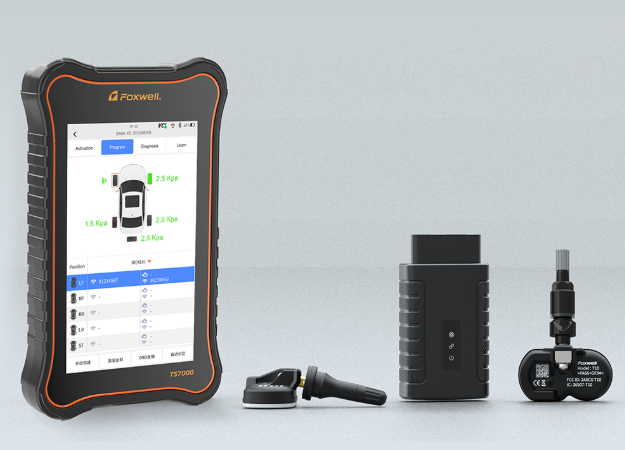
Foxwell provides guidance for different Honda models. Follow the set of instructions that matches your vehicle’s equipment.
1. From the Home screen, select Settings.
2. Choose Vehicle.
3. Select TPMS Calibration.
4. Choose Calibrate.
After you start calibration, you typically need to drive for about 30 minutes at speeds between 30–65 mph for the system to complete the relearn and clear the warning.
1. Use the steering-wheel buttons to open the Driver Information Interface.
2. Navigate to Settings → TPMS Calibration.
3. Select Calibrate and follow prompts.
Again, expect a driving/relearn period after initiating calibration.
1. Press MENU.
2. Select Customize Settings.
3. Choose TPMS Calibration.
4. Select Initialize, then Yes.
5. Press MENU to exit.
Some older Hondas also have a physical TPMS button left of the steering wheel — press and hold it until the indicator blinks twice to initiate the relearn.
We emphasize this practical point: once you initiate the recalibration, the TPMS system typically requires about 30 minutes of driving at moderate speeds (roughly 30–65 mph) to finish its relearn routine and clear the light. Don’t expect the lamp to vanish instantly at the pump — the system needs time and motion to relearn each sensor’s signature.
If the TPMS light is flashing each time you start the car, that’s not a simple pressure issue — it indicates a system malfunction. Common causes are failing sensor batteries (sensors use small internal batteries that can die after years) or damaged/faulty sensors. In this case, we recommend bringing the car to a service center so technicians can diagnose which sensor (or wiring/module) needs attention.
· Double-check all tires and the spare (if your vehicle monitors it) with a reliable gauge; inflate to the manufacturer’s recommended PSI (printed on the driver-side door jamb).
· Start the TPMS recalibration procedure that matches your car (touchscreen / non-touchscreen / older model steps above).
· Drive at the required speeds for about 30 minutes to allow the system to relearn.
· If the warning light flashes, or the lamp persists after recalibration and a drive, schedule a service appointment for a deeper diagnostic.
TPMS isn’t just a convenience — it’s an important safety system that helps prevent poor fuel economy, uneven tire wear, and dangerous underinflation-related handling issues. If your attempts to reset the system don’t work, the sensible move is to let trained technicians check sensors, batteries, and the TPMS module. We at Foxwell remind owners that a persistent or flashing TPMS light is a signal for professional inspection.

Copyright © Shenzhen Foxwell Technology Co., Ltd. All Rights Reserved 2009-2021 |
Sitemap
Powered by 

Links: Reanod