May. 29, 2026
Maintaining correct tire pressure is one of the most important aspects of safe driving, fuel efficiency, and tire longevity. In modern Honda vehicles, this process is supported by the Tire Pressure Monitoring System (TPMS), which alerts drivers when tire pressure is low or when the system needs recalibration. However, many drivers get confused when the TPMS warning light appears even after inflating tires correctly. In most cases, the system simply needs a proper calibration reset.
This guide explains everything you need to know about Honda TPMS calibration, including how the system works, when to reset it, and a step-by-step calibration process based on official Honda procedures.
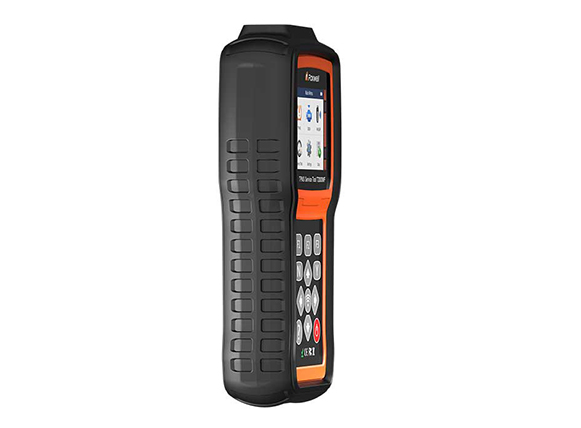
Unlike older systems that use individual pressure sensors inside each tire, many modern Honda models use an indirect TPMS system. This system does not measure air pressure directly. Instead, it monitors wheel speed and rotational differences using the ABS (anti-lock braking system) sensors.
When a tire is underinflated, its rolling radius becomes smaller, causing it to rotate slightly faster than the other wheels. The system detects this difference and triggers a warning light on the dashboard.
According to Honda’s official documentation, TPMS continuously compares wheel rotation data to identify abnormal tire behavior rather than reading pressure values directly .
Because of this design, the system needs to “relearn” or recalibrate a baseline whenever tire conditions change.
You should always perform TPMS calibration in the following situations:
· After adjusting tire pressure in one or more tires
· After rotating tires
· After replacing one or more tires
· After installing new wheels or seasonal tire sets
· When the TPMS warning light remains on even after correcting pressure
Honda explicitly states that recalibration is required anytime tire pressure or tire position changes occur .
Failing to recalibrate may cause inaccurate readings or a persistent warning light even when tires are properly inflated.
Before starting TPMS calibration, ensure the following conditions are met:
· All tires are inflated to the correct “cold tire pressure” listed on the driver-side door jamb label
· The vehicle is completely stopped
· The transmission is in Park (P)
· The ignition or power mode is set to ON
· No temporary spare tire is installed
Honda systems will not calibrate properly if a compact spare tire is being used.
Although menus may vary slightly between models and trim levels, the general process is very similar across most Honda vehicles (Civic, CR-V, Accord, HR-V, etc.).
1. Turn the ignition or power mode to ON
2. Press the Home button on the infotainment system
3. Select Settings or Vehicle Settings
4. Find and select TPMS Calibration
5. Select Calibrate
6. Confirm when prompted
Once selected, the system will display a confirmation message indicating that calibration has started. No further action is required from the driver.
1. Turn the ignition ON
2. Use steering wheel buttons to access the Driver Information Interface
3. Navigate to Vehicle Settings
4. Select TPMS Calibration
5. Choose Calibrate and confirm
On older models, you may need to press a dedicated menu or settings button to access vehicle customization options.
Some older Honda vehicles may use a physical TPMS reset button located near the steering column or lower dashboard:
1. Turn ignition ON
2. Press and hold the TPMS reset button
3. Wait until the TPMS light blinks twice
4. Release the button
5. Drive the vehicle to complete learning
This method is less common in newer Honda models but still exists in older vehicles.
Once calibration begins, the system enters a learning phase. During this time:
· The vehicle must be driven normally
· The system collects wheel speed data
· No immediate confirmation of completion is shown
In most Honda models, calibration takes about 30 minutes of cumulative driving at moderate highway speeds (typically 30–65 mph) .
During this period, you may notice:
· The TPMS warning light briefly turning on and off
· No immediate change in dashboard display
· Delayed system response after tire adjustments
This behavior is normal and does not indicate a malfunction.
If the system shows “Calibration Failed to Start,” try:
· Turning ignition off and back on
· Ensuring the vehicle is in Park
· Repeating the calibration steps
Possible causes include:
· Incorrect tire pressure
· Tire damage or slow leak
· Mismatched tire sizes
· Faulty ABS sensor
This usually happens when calibration was not reset after rotation. Always recalibrate immediately after tire changes.
It is important to distinguish between two different alerts:
· Low Tire Pressure Light: Indicates one or more tires are underinflated
· TPMS Calibration Required: Indicates system needs reset after tire changes
Many drivers mistakenly inflate tires but forget calibration, causing the warning light to remain active.
To ensure accurate TPMS performance:
· Check tire pressure at least once a month
· Always use manufacturer-recommended PSI levels
· Recalibrate after every tire service
· Avoid mixing different tire sizes or brands
· Inspect tires regularly for leaks or damage
Proper maintenance ensures the system can accurately detect changes and improve driving safety.
Honda TPMS is a smart safety system designed to help drivers maintain optimal tire conditions, but it depends heavily on correct calibration after any tire-related adjustment. Whether you are rotating tires, changing seasons, or simply correcting pressure, recalibrating the system ensures accurate monitoring and prevents unnecessary warning lights.
By following the correct calibration steps and maintaining proper tire pressure, you can keep your Honda running safely, efficiently, and smoothly all year round.

Copyright © Shenzhen Foxwell Technology Co., Ltd. All Rights Reserved 2009-2021 |
Sitemap
Powered by 


Links: Reanod